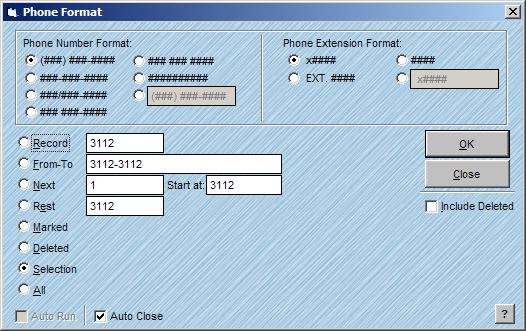
The Parse Phone feature allows you to Format the phone fields. The phone information must be stored in the AccuZIP6 field(s) named PHONE1, PHONE2 or PHONE3 in order for the program to locate and format the information. There are many ways to format a phone number and extension, and you can choose the one that best suits your needs as shown in the window below:
Follow the steps below to Format a PHONE field:
From the Special menu choose Parse, Phone.
Select the desired formatting radio buttons.
Click on the desired radio button that will best determine your scope parsing the phone field(s).
For information on scope radio buttons, see Consistent Window Formats.
Click OK.